How to Use Branviz AI Visibility Tool to Track Your Brand Visibility
Jitender • 6/9/2026

A fundamental shift is happening in how consumers discover brands, and most businesses are completely unprepared for it.
For years, marketers have poured resources into SEO strategies, Google Ads, and organic search rankings. These efforts remain valuable. However, a new and rapidly growing channel is quietly reshaping the discovery landscape. Tools like ChatGPT, Google Gemini, Microsoft Copilot, and Perplexity are now answering millions of consumer questions every day, recommending products, comparing brands, and guiding purchase decisions, often without a single traditional Google search involved.
The critical question your business must answer is this: When someone asks an AI tool about your industry, does it mention your brand?
If you do not know the answer, you are missing one of the most important visibility channels of 2026.
This is exactly the problem that Branviz was built to solve. Branviz is a brand visibility and intelligence platform that gives businesses a clear, data-driven picture of how they appear across large language models (LLMs). In this guide, we will walk you through exactly how to use Branviz, step by step, and explain what each metric means for your brand's growth.
About Branviz
Branviz is a brand intelligence tool built to help marketers, business owners, and brand managers understand how their brand is being perceived and recommended by large language models. The platform queries AI engines with prompts relevant to your industry, then organises the results into a structured dashboard covering five key areas: overall AI visibility, detailed query analysis, web content readiness, user sentiment, and competitor benchmarking.
Unlike general SEO tools that track website rankings, Branviz focuses specifically on brand presence within AI-generated responses, which is an increasingly separate and important channel from traditional organic search.
Step-by-Step: How to Use Branviz to Track Your Brand Visibility
Step 1: Visit Branviz
Open your browser and go to branviz.com.
The homepage communicates the platform's purpose clearly: Measure, Track and Dominate Your AI Brand Visibility. Branviz evaluates 8 critical dimensions to show exactly how LLMs perceive and recommend your brand.
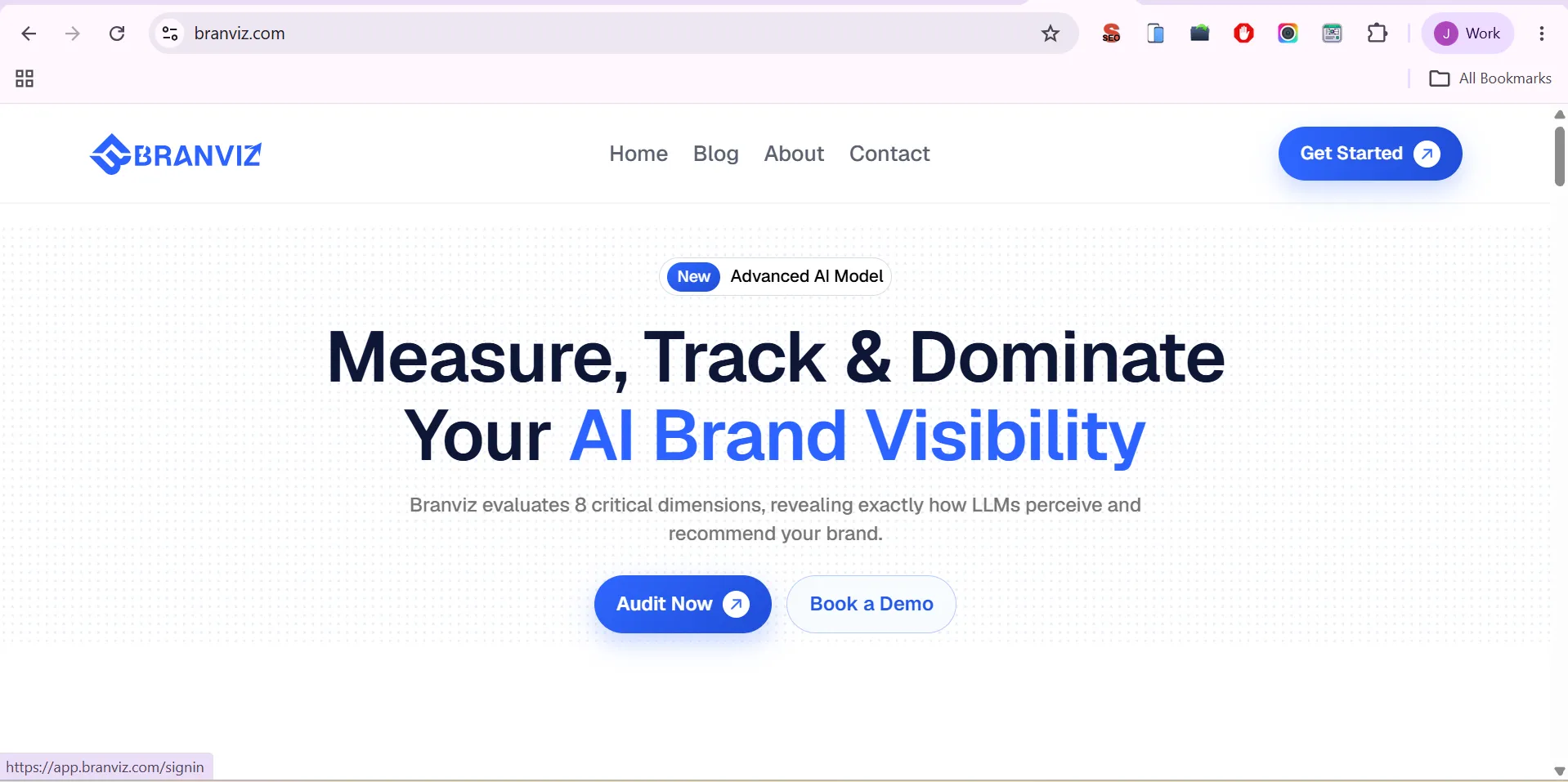
From the homepage, you have two options to proceed. Click Audit Now to go directly into the setup process, or click Book a Demo if you would like a walkthrough from the team first. The top navigation also has a Get Started button that takes you to sign in or register.
Step 2: Sign Up Using Your Email
Click Get Started or Audit Now and register for a free account using your email address.
Once registered, you will land on the Branviz app dashboard at app.branviz.com/form. The screen greets you by name and shows your current project count. For free plan users, Branviz allows one project per account. This is sufficient to fully audit one brand, making it a low-barrier starting point for businesses that want to explore the platform before committing to a paid plan.
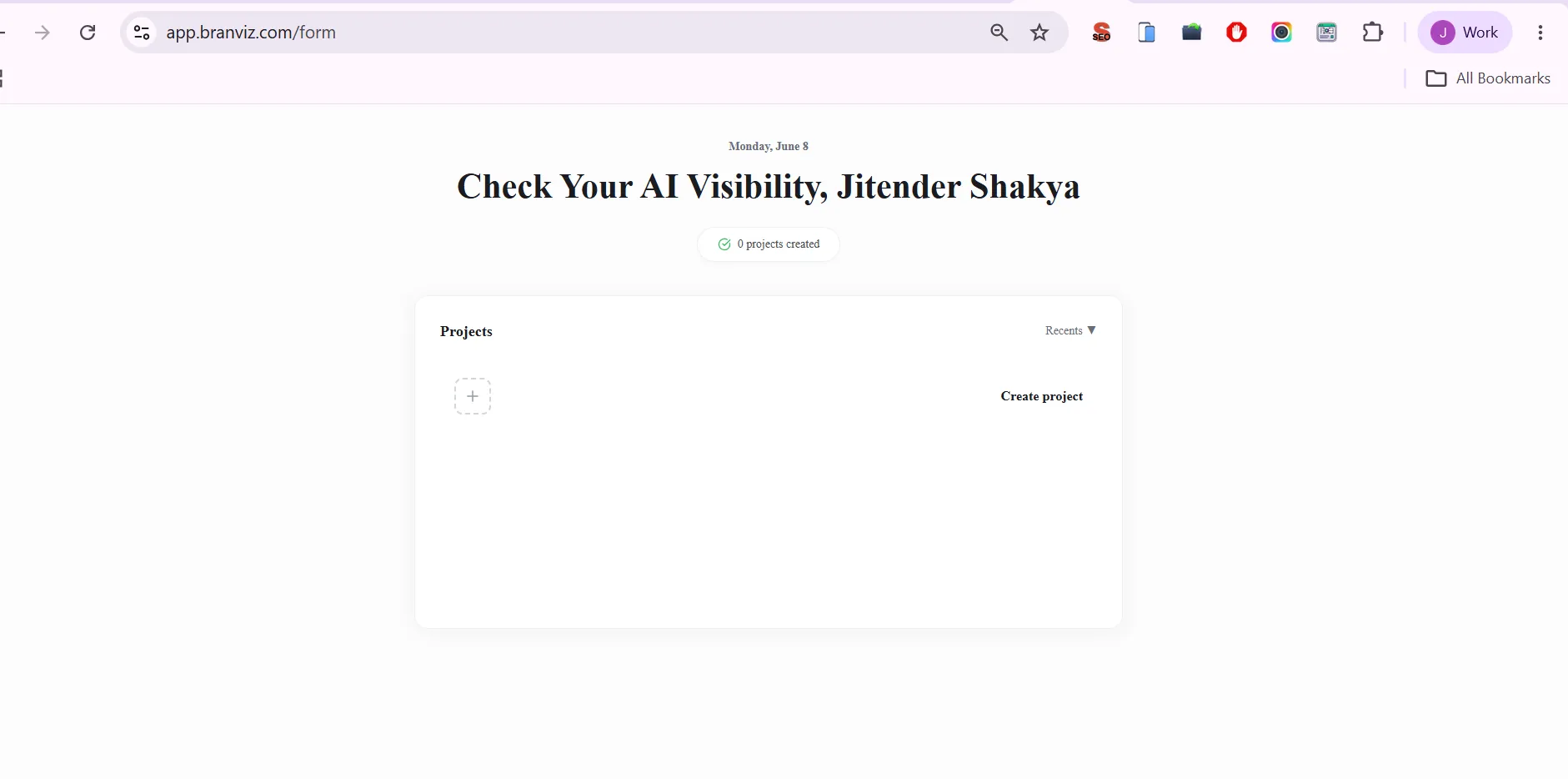
On this screen you will see a Projects section with a + Create project option. Click that to begin setting up your first brand analysis.
Step 3: Add Your Project
After clicking Create project, Branviz immediately asks: How do you want to set up?
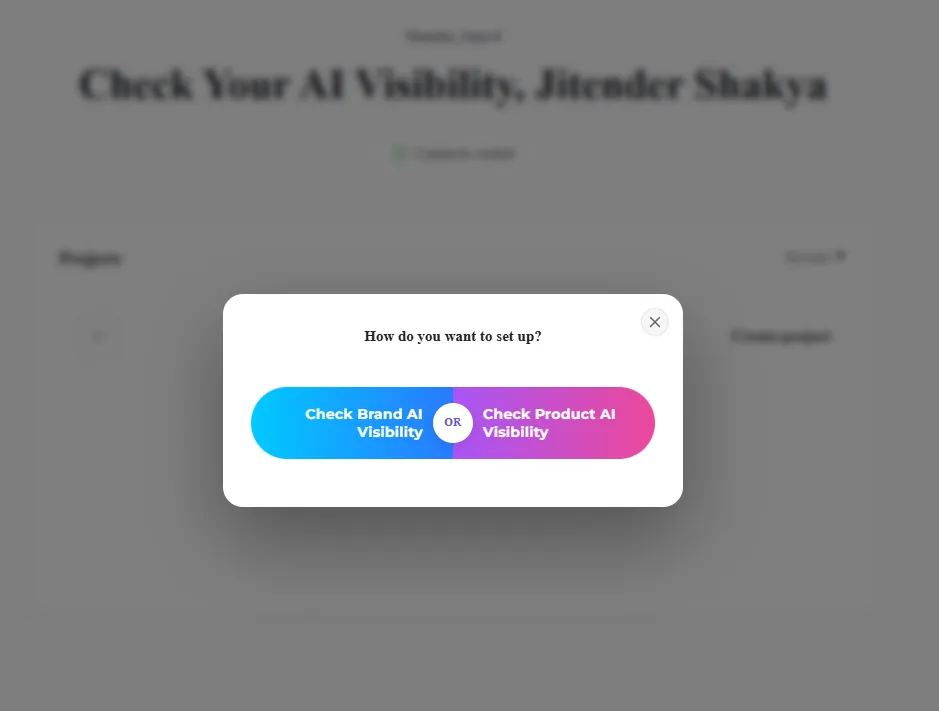
A popup appears with two clear options:
- Check Brand AI Visibility - for tracking how your overall brand name appears in AI responses
- Check Product AI Visibility - for tracking how a specific product is mentioned and recommended
For most businesses getting started, selecting Check Brand AI Visibility is the right choice. This will track your brand name across AI platforms and give you a full picture of your brand's presence in AI-generated content.
Step 4: Fill in Your Brand Details
Once you select your setup type, a three-step Brand Analysis Setup form appears. This form is divided into three stages: Identity, Offering, and Competitors.
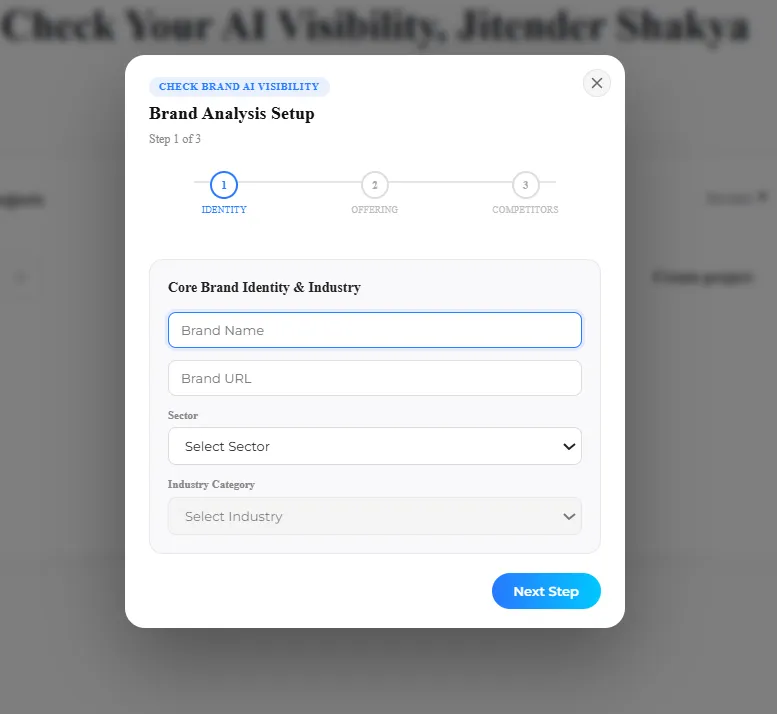
Step 1 of 3: Identity
Here you enter your core brand information:
- Brand Name - The exact name of your brand as it should appear in AI responses
- Brand URL - Your primary website address
- Sector - Select the broad sector your business operates in
- Industry Category - Narrow down to your specific industry category
Fill in each field carefully. The brand name and URL you enter here are what Branviz uses to identify mentions across all the AI platforms it queries. Accuracy at this stage directly affects the quality of your results.
Click Next Step to proceed through the Offering and Competitors stages, where you will add details about what your brand offers and which competitors you want to benchmark against. Adding competitors is particularly useful because it allows you to see how your brand visibility compares to rivals targeting the same audience.
Step 5: Branviz Begins Analysing Your Brand
Once you complete the setup form and submit your details, Branviz starts working immediately.
A loading screen appears showing the message: "AI is analyzing your brand..." with a progress bar below. The status message beneath reads: "Fetching mentions, sentiment, and competitor data"
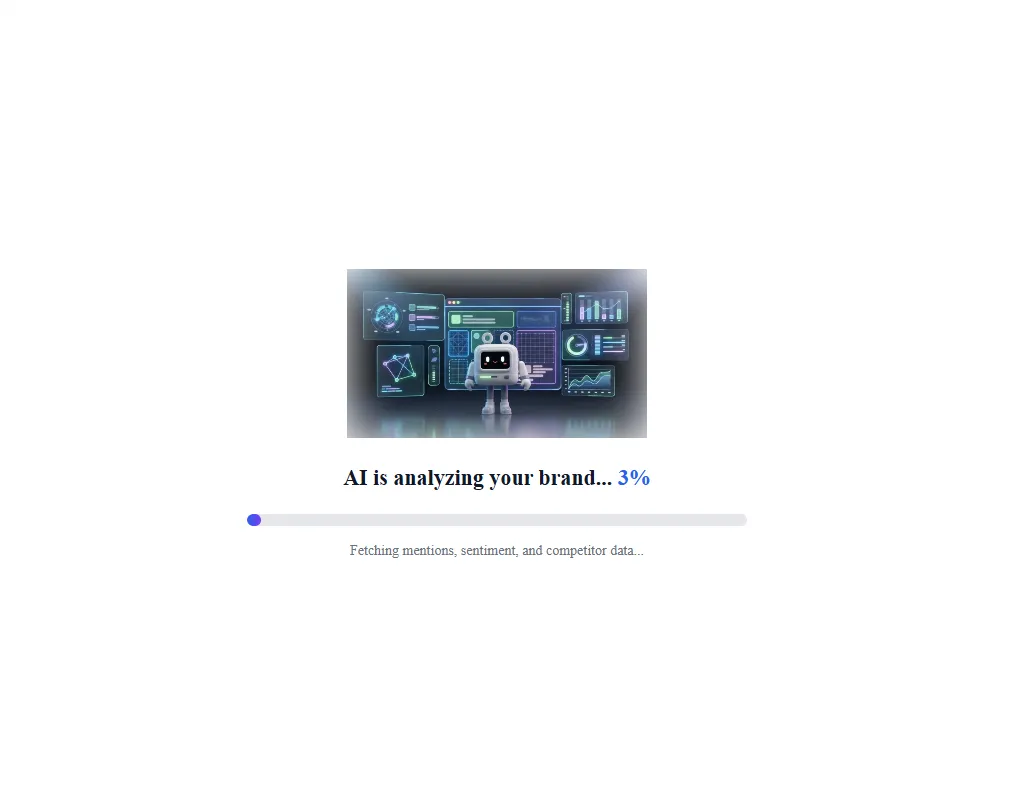
This process typically takes a short while as the platform queries multiple AI engines simultaneously, scrapes sentiment data from public forums, and runs a content audit on your website. You do not need to stay on the page. Branviz a llm brand visibility tool will have your results ready when the analysis is complete.
Step 6: Review Your Dashboard
Once the analysis is complete, you are taken to your project dashboard. This is the central hub for all your brand visibility data. The left sidebar contains five sections, each covering a different dimension of your brand's presence:
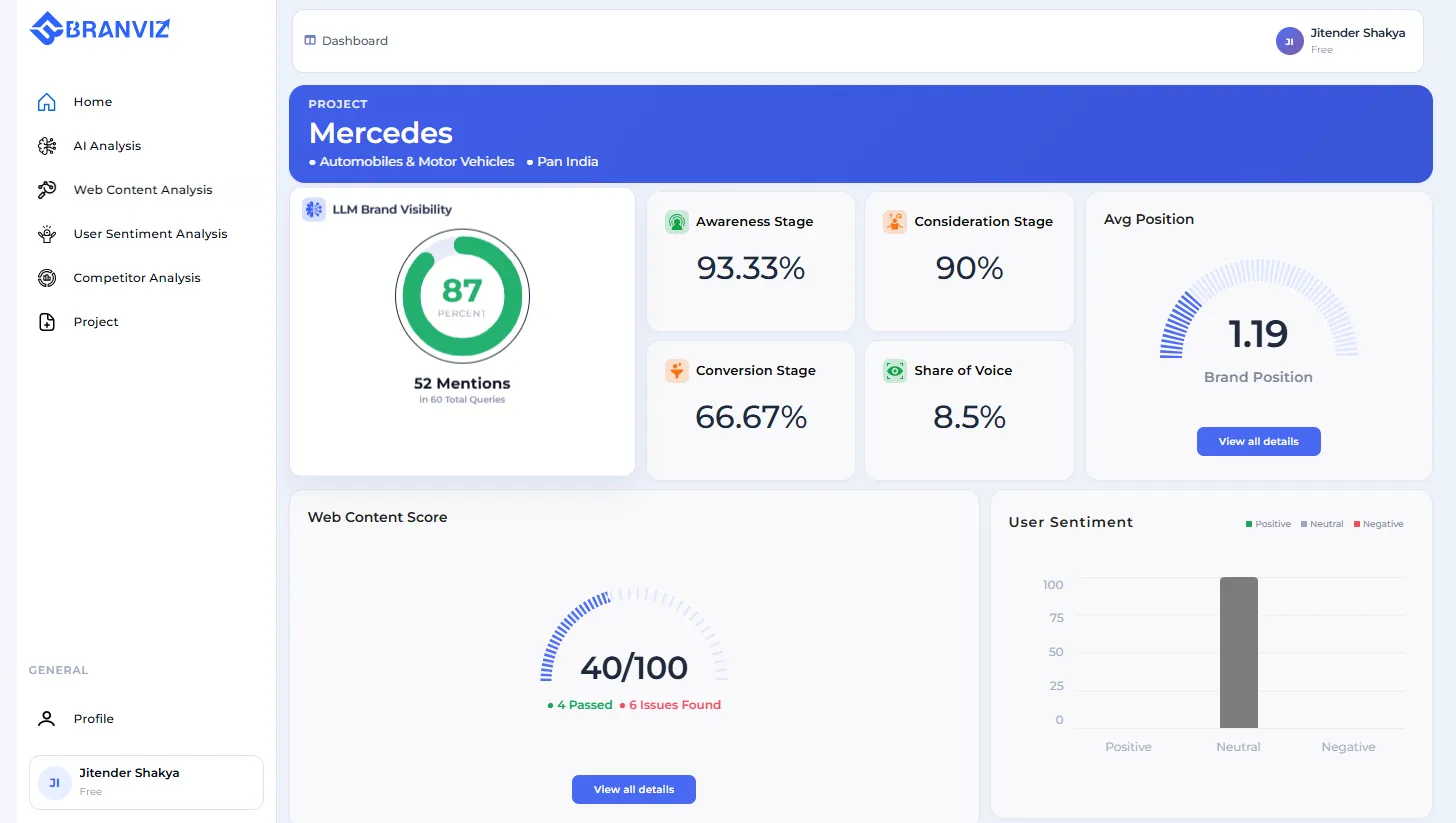
- Home - The overall project overview
- AI Analysis - Query-level breakdown of your brand's presence across AI platforms
- Web Content Analysis - A GEO readiness audit of your website
- User Sentiment Analysis - Public sentiment data from forums and review sites
- Competitor Analysis - How your competitors perform on the same terms
Each section is covered in detail below.
Understanding Your Branviz Dashboard
Home: Overall Brand Overview
The Home section gives you an at-a-glance summary of your brand's performance across all measured dimensions.
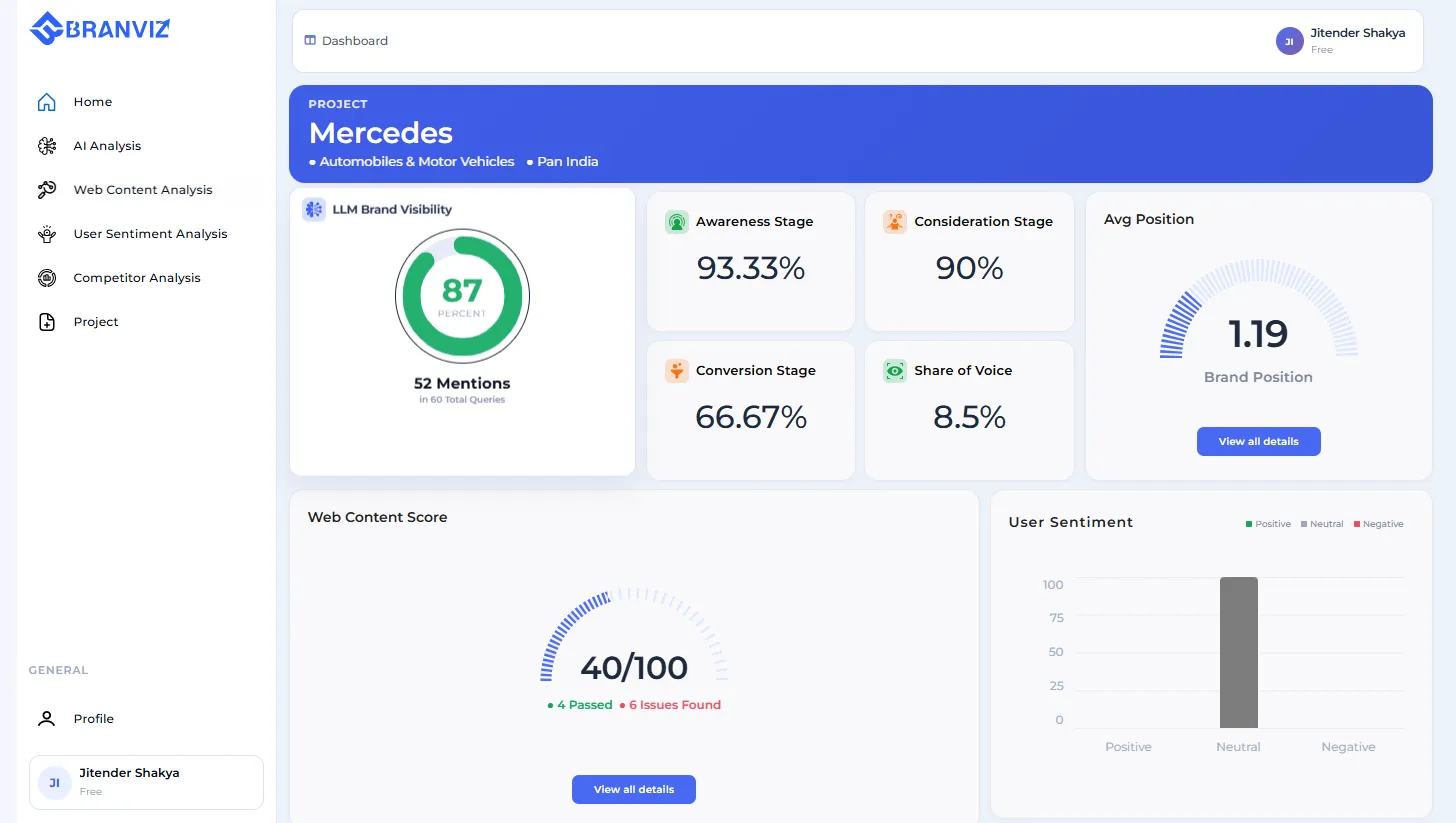
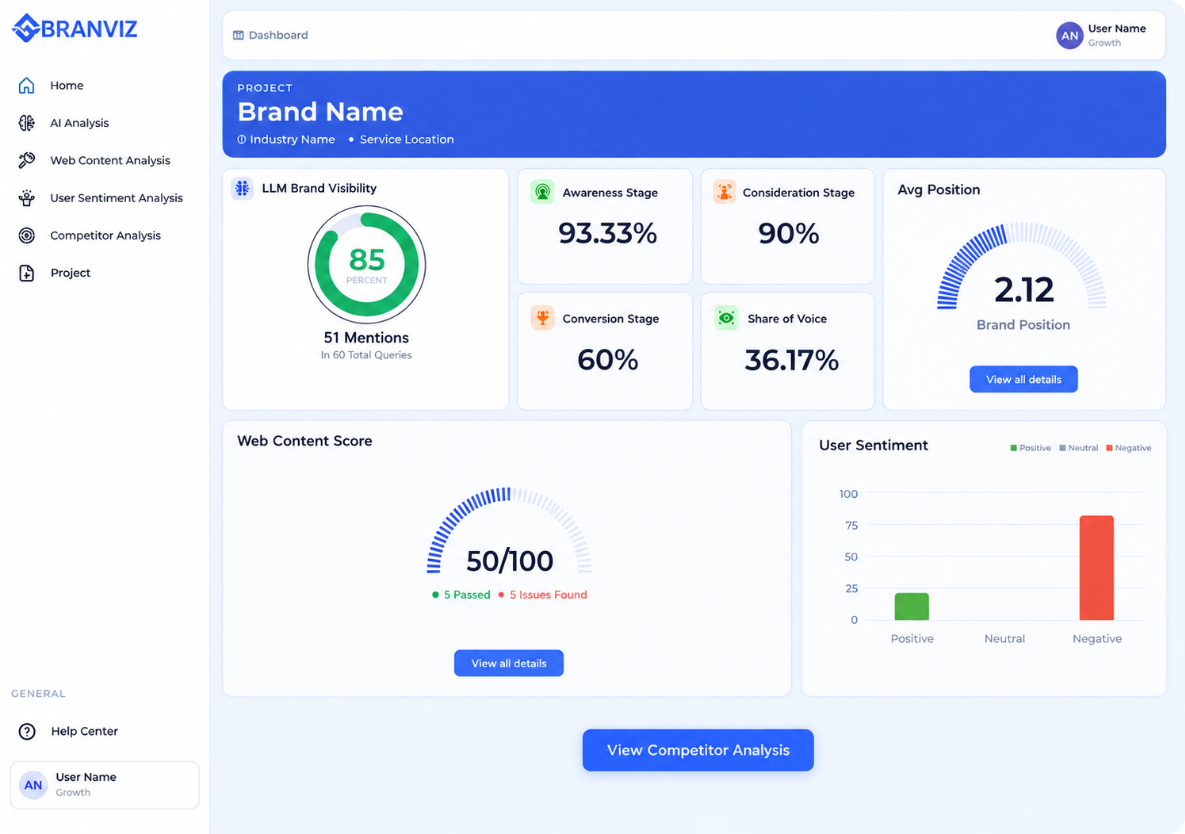
At the top, the LLM Brand Visibility gauge shows your overall visibility score as a percentage. In the Mercedes example shown here, the score is 87 percent, drawn from 52 mentions across 60 total queries.
To the right of the gauge, four metric cards break down performance by funnel stage:
- Awareness Stage: 93.33% - Mercedes is mentioned in nearly all broad, informational queries about the automotive industry in India
- Consideration Stage: 90% - The brand appears in 90% of queries where users are comparing options or researching purchases.
- Conversion Stage: 66.67% - At the point of purchase intent, Mercedes is present in about two-thirds of responses
The gap between the Awareness score and the Conversion score is worth noting. A brand can be highly recognised by AI platforms but still be under-represented at the decision stage, which is where lost customers are most costly.
Also on the Home screen:
- Average Brand Position: 1.19 - When Mercedes is mentioned alongside other brands, it appears as the first or second brand named on average. Position matters because LLMs convey priority through the order in which they present information.
- Share of Voice: 8.5% - The proportion of all relevant AI responses that include Mercedes, measured against the full competitive set.
- Web Content Score: 40/100 - A summary of how well the website is structured for AI readability, with 4 checks passed and 6 issues requiring attention.
- User Sentiment chart - A visual breakdown of positive, neutral, and negative sentiment across scanned mentions.
AI Analysis: Query-Level Breakdown Across Platforms
The AI Analysis section is where you see exactly which queries your brand was found in, across which platforms, and at what position.
The top of this section shows four summary metrics:
- Total Queries Analyzed: 60 across 5 AI engines
- LLM Brand Visibility: 80% (48 found, 12 not found)
- Share of Voice: 10.04%
- Avg Position: 1.04 when mentioned
The Query Results table below lists every prompt analysed, along with the funnel stage it belongs to, whether your brand was mentioned or not, your position in that response, and the number of sources cited.
The platform icons visible above the table show that Branviz queries across ChatGPT, Perplexity, Claude, Gemini, and additional AI platforms, giving you a cross-platform view of your brand's presence rather than a single engine snapshot.
For example, in the Mercedes project, queries like "Most Discussed Brands Online" and "Biggest Market Leader Brands" returned a Mentioned status at position 1. However, the query "Best High-End Premium Brands" returned a Not Found status, which points to a specific content gap worth addressing.
This level of query-by-query visibility is what makes Branviz useful for taking targeted action rather than just monitoring a headline number.
Web Content Analysis: GEO Readiness Audit
The Web Content Analysis section runs a 10-point Generative Engine Optimisation (GEO) audit on your website. GEO is the practice of structuring website content so that large language models can accurately read, understand, and cite it when generating responses.
The Mercedes project shows a Web Content Score of 40 out of 100, with 4 checks passed and 6 issues flagged as requiring immediate action.
Each failing check is accompanied by a clear action recommendation, so you know exactly what to fix and in what order. For businesses with a low Web Content Score, this section alone provides a clear content improvement roadmap.
User Sentiment Analysis: What People Say About Your Brand
The User Sentiment Analysis section tracks public conversation about your brand across forums and review platforms including Reddit, Quora, X (formerly Twitter), and Trustpilot.
For the Mercedes project, Branviz scanned 8 total reviews and mentions, breaking down into:
- Positive Sentiment: 13% (1 review)
- Neutral Sentiment: 0% (0 reviews)
- Negative Sentiment: 88% (7 reviews)
Each mention is listed in a table with the user comment, the source platform, the sentiment classification, and the theme it relates to. The Mercedes data shows recurring negative themes around service cost, safety defects, customer care, and product quality, drawn from Reddit and Trustpilot.
This section is useful for two reasons. First, it shows you what real users are saying about your brand in the forums that AI platforms often use as source material. Second, it helps you identify specific reputation issues that may be suppressing your Conversion Stage score, since AI models factor in public sentiment when generating brand recommendations.
Competitor Analysis: How You Compare
The Competitor Analysis section shows how the brands you listed during setup are performing on the same set of queries. This allows you to benchmark your visibility score, share of voice, and brand position directly against rivals competing for the same customers.
This section is particularly useful for identifying where a competitor is outperforming you in AI responses, and for understanding whether the gap is related to content quality, brand authority, or sentiment signals.
You Cannot Improve What You Do Not Measure
AI search is no longer a future consideration. It is where a growing share of your potential customers are finding brands right now. Tools like Branviz give you a concrete, measurable view of where you stand in that channel, and a clear path to improving it.
The process is simple: visit the platform, create your free account, set up your project with your brand details and competitors, and let Branviz run the analysis. Within minutes you will have a detailed breakdown of your LLM visibility, your web content readiness, public sentiment, and how you compare to your competitors.
The brands that take this seriously now will have a measurable advantage over those that wait.

FAQs